.png)
Payment Information
You can update your payment information at any time by logging into your PetLinkGPS app.
To change your subscription payment method, please follow these steps:
- Log in to your PetLinkGPS app
- Select Menu
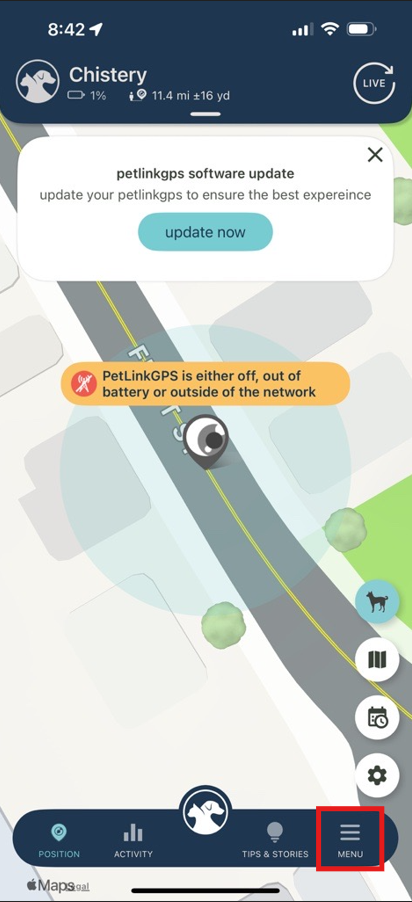
- Select your pet's profile
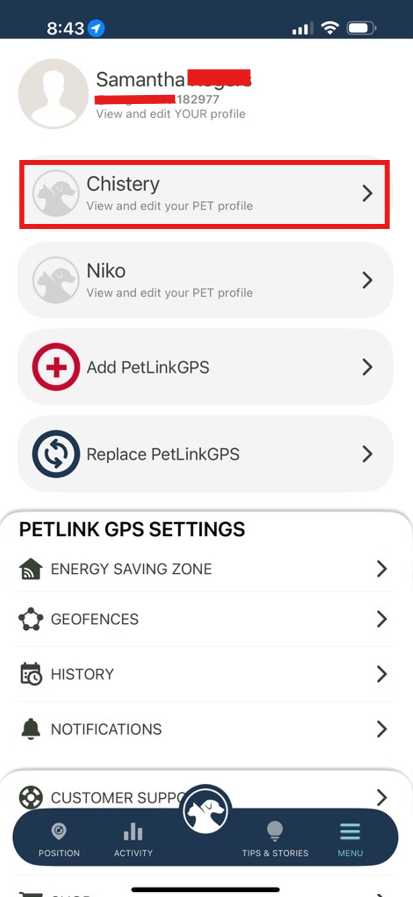
- Click Products
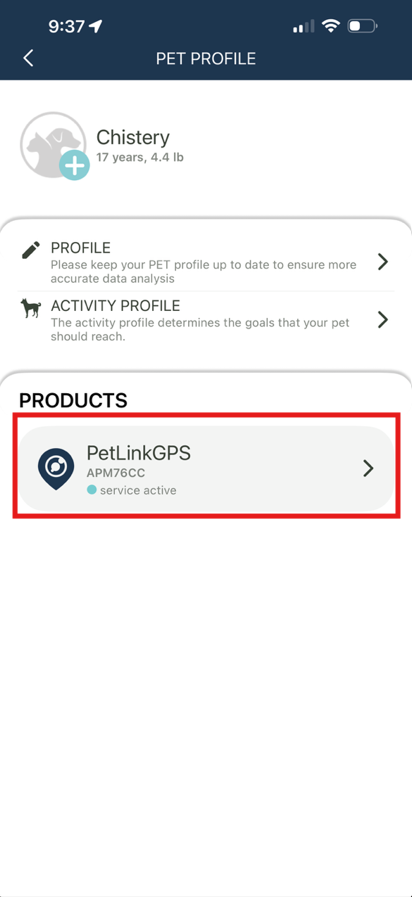
- Click on Subscription Package under Management
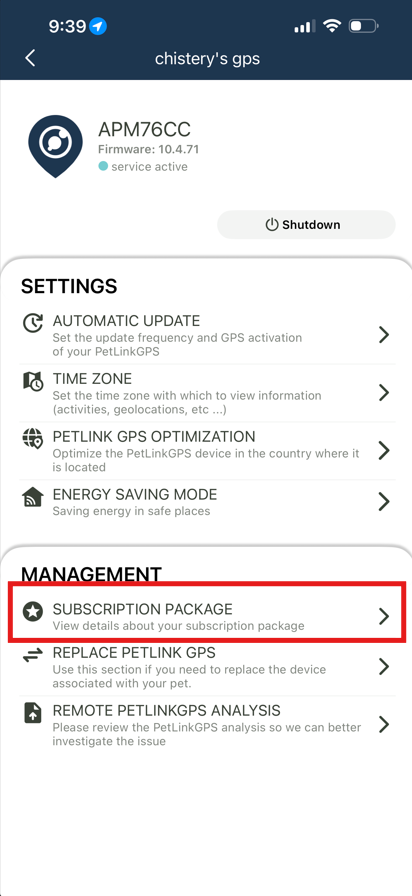
- Select Menu in the top left corner
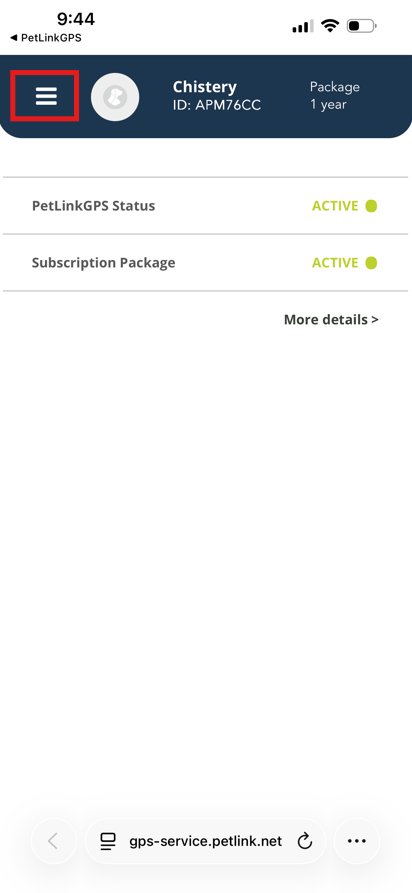
- Select Invoicing Info
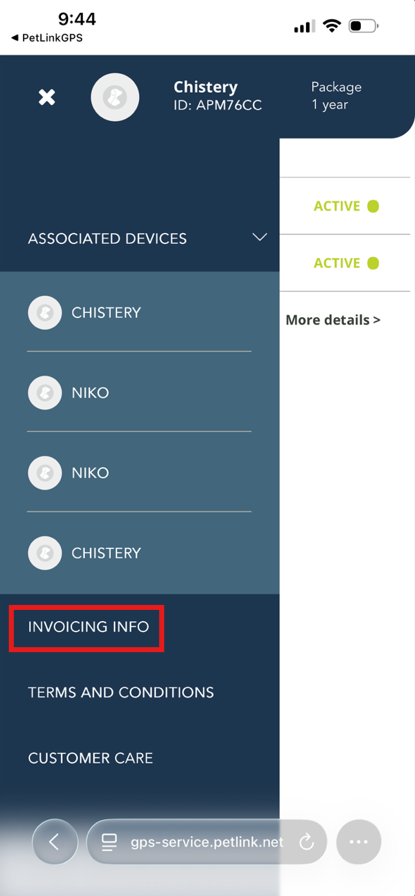
- Then select Update Method

- Enter new payment information
- Click Add
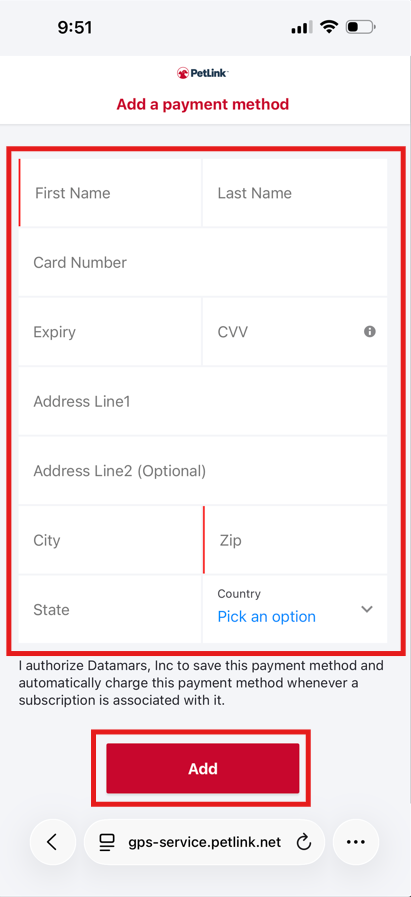
Your information will be updated within a few minutes.